By default, nothing leaves your phone
A home blood-pressure log, made simple for older adults
Enter three numbers after each reading, look back at history and trends, get reminded when it is time to measure, and reach your family with a single tap. Large text, large buttons, no sign-in.
What the app does
Fast entry after each reading
Systolic, diastolic, pulse, time of the reading, and how you felt. Big number fields, and out-of-range values are flagged instead of being saved.
Photograph your monitor
The app reads the seven-segment display on the phone itself — no upload, no connection needed — and deletes the photo the moment it is done. The numbers are only pre-filled: you check them and tap SAVE READING.
History and charts
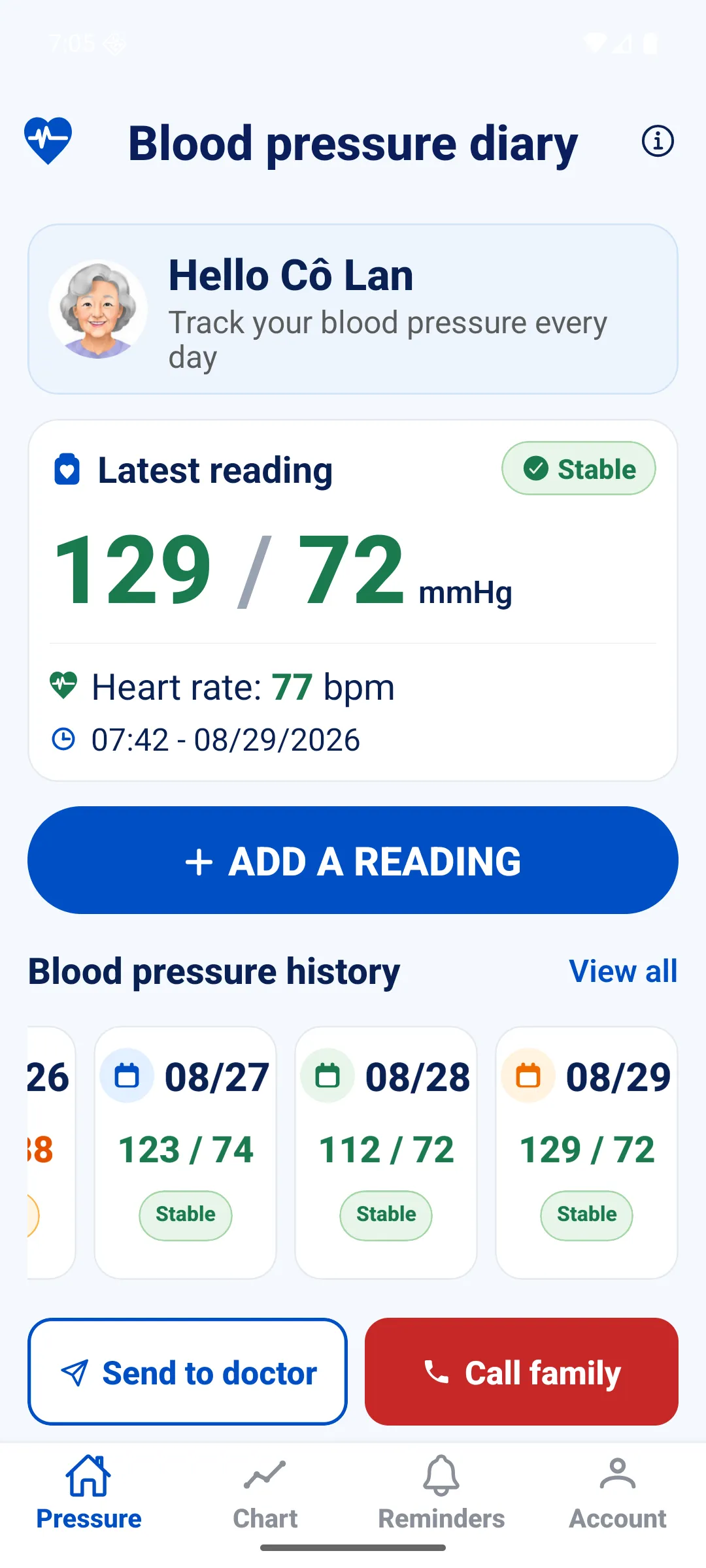
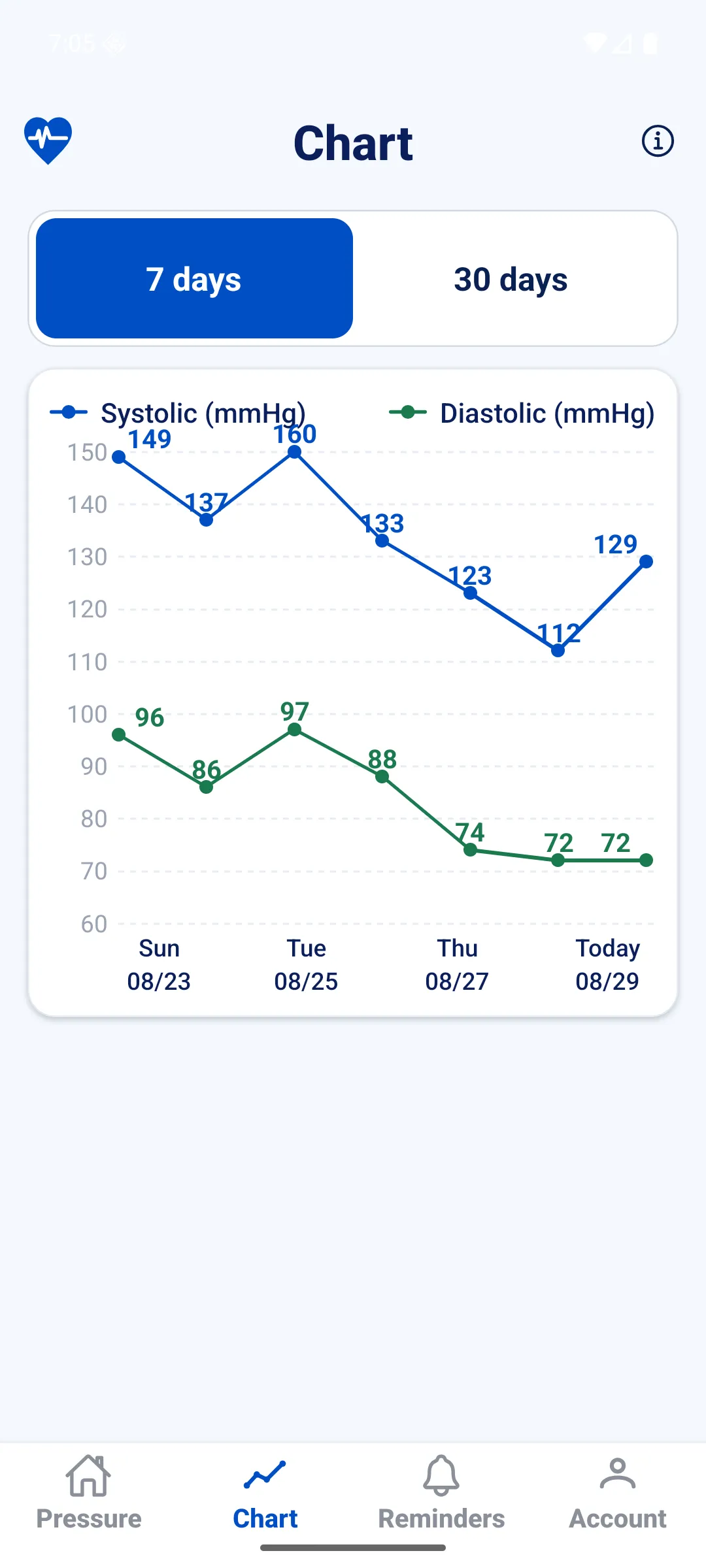
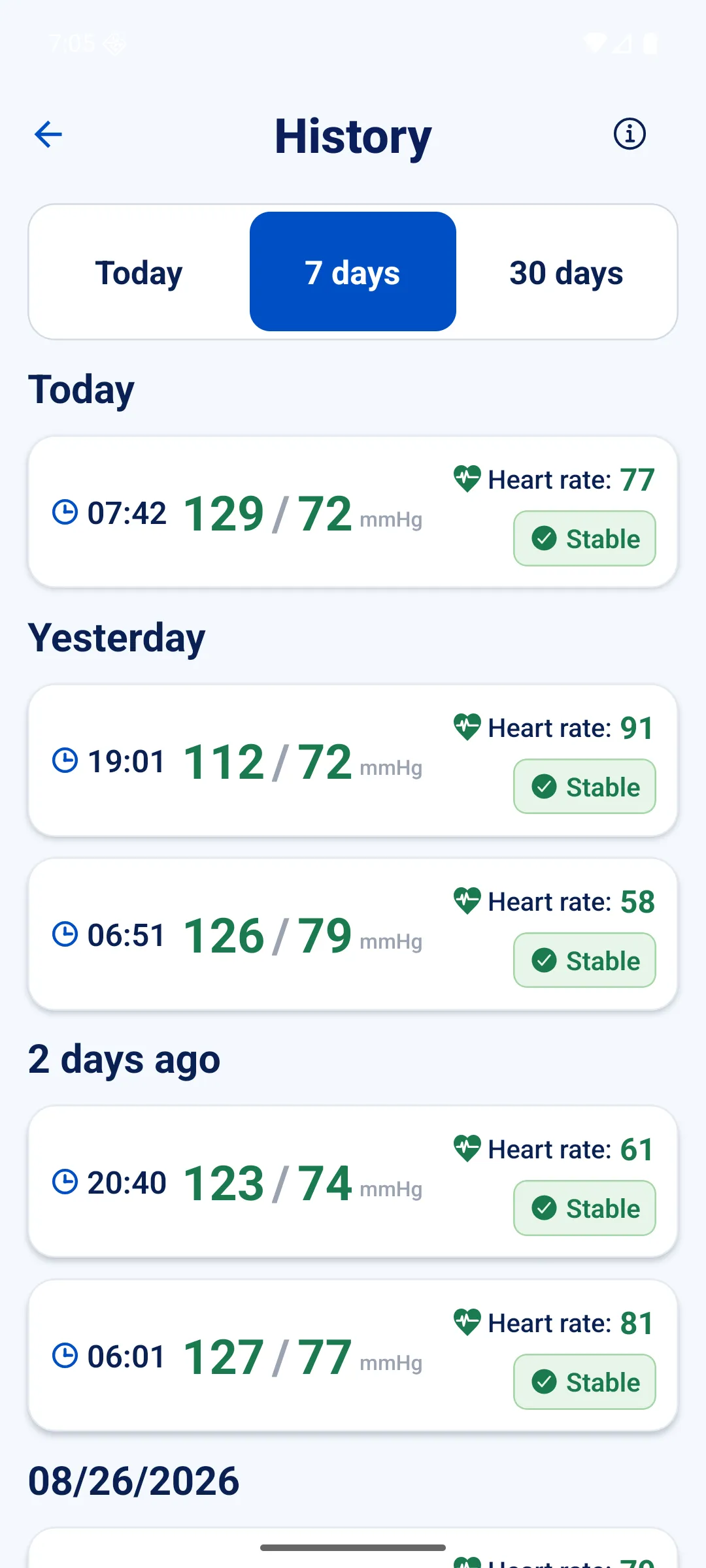
The last three days sit on the home screen, the full log is one tap away, and charts cover 7 or 30 days with averages and a plain-language trend note.
Reminders that follow up
Measurement and medicine reminders run locally on your phone, no connection needed. If you have not answered, the app asks again after 10 minutes, then after 20 — and then stops. Repeats daily, monthly or yearly.
One-tap call to family
The red button on the home screen dials each contact in your list, one after another, until somebody picks up. It uses your phone's own dialler and never asks to read your contacts.
A PDF for your doctor
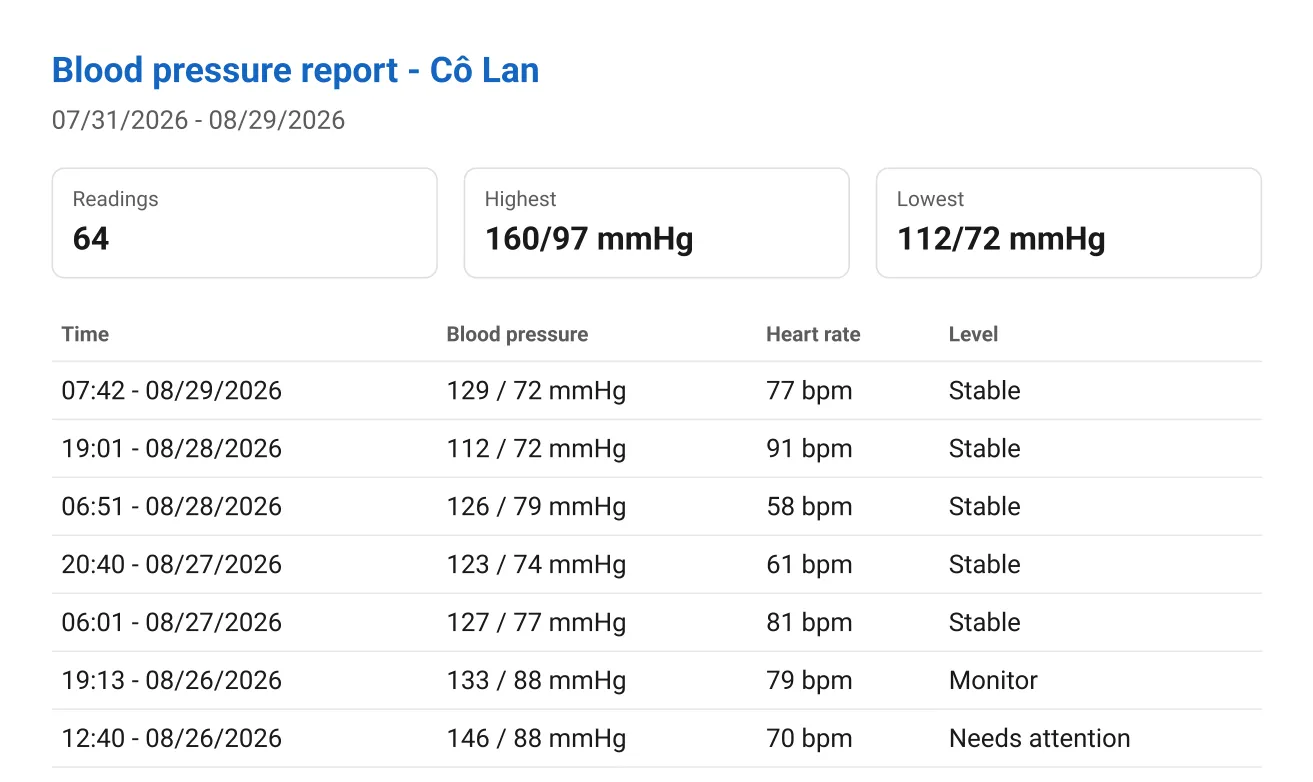
One tap builds a 30-day report: how many readings, the highest, the lowest, and a full table with pulse and level. The file is generated on the phone and shared through email, messaging, AirDrop or Files — no app required at the other end.
Genuinely large text and buttons
Large-text mode scales the whole app by 1.25, and buttons grow with it instead of staying put. Touch targets never drop below 56 px. Every status carries words, not colour alone.
Three languages, the right form of address
Vietnamese, English and 中文 — even the name under the icon follows the phone's language. In Vietnamese the app addresses you as "cô" or "chú" according to your profile, including in reminders scheduled the day before.
What the app is really for
Your doctor asks for your readings — hand them over on the spot
This is the moment a paper notebook and a do-everything app both fall short: the doctor asks how your blood pressure has been these past weeks, and you are sitting there scrolling through your phone. The app exists to solve exactly that minute.
- Open the app.
- Tap Send to doctor on the home screen and confirm.
- Choose how to hand it over: email, a messaging app, AirDrop — or print it.
What the doctor receives
- The name and the period the report covers.
- How many readings, the highest and the lowest.
- A row per reading: time, blood pressure, pulse, level.
- A line stating the app does not diagnose and does not replace a doctor.
Why this beats a do-everything app
Your doctor installs nothing. It is an ordinary PDF that opens on any device and prints — not a link, not a QR code, not an account to sign into.
No connection needed. The file is built on your phone, even if the clinic has no signal.
No menu-digging. Send to doctor sits on the home screen, not several layers deep the way blood pressure ends up in an app that does twenty other things.
The report follows the app's language, so it is readable by whoever you hand it to.
By default, your health data never leaves the phone
This is a design decision rather than a promise — there is no server of ours for the data to go to. The whole app makes exactly one network call, and only when you have switched Slack on yourself.
- No account, no sign-in, no email address, no verification code.
- No servers of ours and no cloud sync.
- Photos of your monitor are read on the phone and then deleted, never uploaded.
- No location, contacts, call-log or microphone permission is ever requested.
- Backup files you export are encrypted with AES-256-GCM, the key derived from your password through 100,000 PBKDF2 rounds.
- No advertising, no analytics libraries, no behavioural tracking.
- The only thing that leaves the device is the optional Slack webhook — off by default, switched on and pasted in by you.
Three steps to start
Open the app and enter a name
A name and an age group is all it takes. No email, no password, no verification code.
Enter three numbers after measuring
The app labels the reading so it is easy to follow, and stores it in the history on your phone.
Send a report before an appointment
Tap Send to doctor on the home screen to build a PDF of the last 30 days and share it.
Your readings are hard to lose
A wrong restore can be undone
Before overwriting your data with a backup, the app snapshots what is already there. The five most recent snapshots stay on the phone so a mis-tap is recoverable.
Restoring twice does not duplicate history
When merging, the app matches on the time of the reading together with both values, so a reading that is already there is not copied again.
A failed Slack message never costs you a reading
The app always saves locally first. Sending to Slack happens afterwards, retries once, and gives up quietly — it never rolls back the reading you just saved.
The three labels shown in the app
The label is derived from the systolic and diastolic values, following the VNHA/VSH 2021 and ISH 2020 office classification. Pulse never changes the label, and every label always carries words, not only colour.
- Stable (Ổn định)
SYS 90–129 and DIA 60–84
Blood pressure is within the normal range. Keep up a healthy lifestyle.
- Watch (Cần theo dõi)
SYS 130–139 or DIA 85–89
The reading is slightly above normal. Measure again and keep an eye on it.
- Attention (Cần chú ý)
SYS ≥ 140 or DIA ≥ 90 or SYS < 90 or DIA < 60
The reading is above (or below) the normal range. Rest and measure again. If you feel dizzy, have a headache, or it repeats, call a relative or your doctor.
The labels support tracking; they are not a diagnosis. A single reading is not enough to conclude hypertension.
Please read before using
Huyết áp is a personal record-keeping tool. It is not a medical device, it does not diagnose any condition, it does not detect stroke, and it does not replace your doctor or emergency services. If you notice dangerous symptoms, call emergency services rather than opening the app.
Need a hand?
The FAQ already answers most questions about backups, moving to a new phone, and the Slack webhook. If something is still unclear, write to us.